News
2026-09-24
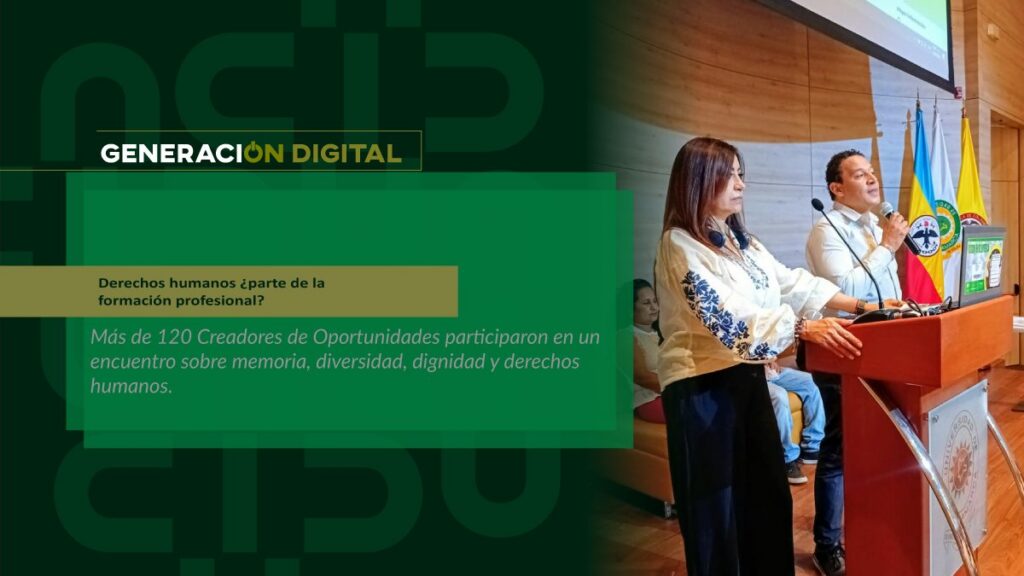
Human rights: part of professional training?
By: Alejandro García Suárez – Advisory Office of Communications



I am your virtual assistant, here to help you quickly and easily.
▲ Back to Top
DATES FOR PAYMENT OF TUITION SETTLEMENT FOR THE IIPA 2020 UNDERGRADUATE AND POSTGRADUATE STUDENTS OF THE UCUNDINAMARCA.
The Academic Council, in permanent session on Thursday, July 23, 2020, approved Extend the deadline for tuition payment for the second semester of the academic period until July 28, 2020, for undergraduate students
The receipt for payment of tuition fees for IIPA 2020 can be downloaded only through the website and will have the following deadlines:
THE ENTIRE UNDERGRADUATE STUDENT COMMUNITY:
PAYMENT DEADLINE: JULY 28, 2020.
NOTE: Students cannot have any outstanding academic debts. (Check the platform if you have any outstanding academic debts.).
If you have any issues with your settlement, please contact the Treasury Office – Fusagasugá Headquarters, email [email protected]
DEAR STUDENTS
For a SUCCESSFUL financial enrollment, please note:
1. If your statement is not available when you enter your ID number, you may have financing and need to download your receipt directly from the platform. To download the receipt for your financing and be active for the 2020 IIPA, you must follow these steps:
| ACCESS THE PLATFORMTO INSTITUTIONAL WITH YOUR USERNAME AND PASSWORD:
|
|---|
2. Be up to date with the university in all respects; otherwise, the enrollment statement for IIPA 2020 will NOT be generated.
3. Print your receipt on a laser printer so that the barcode can be read at the time of payment.
4. The only checks authorized for tuition payment are those generated by Severance Funds, for which you must write on the back (full name, identity document number, career, contact number).
5. If the tuition payment will be made by an external entity through electronic transfer (National Savings Fund, Foundations, Severance Pay, Banking Entities, etc.) DON'T FORGET which must be sent to the treasury office via email [email protected] A copy of the transfer receipt is required for a successful financial registration process. Additionally, remember that the credit application process must be completed before the end of the ordinary or extraordinary registration payment dates.
6. Banks authorized to make over-the-counter collections: Banco Davivienda and Banco Agrario.
7. Payment by electronic means (PSE)
To make your tuition payment electronically:
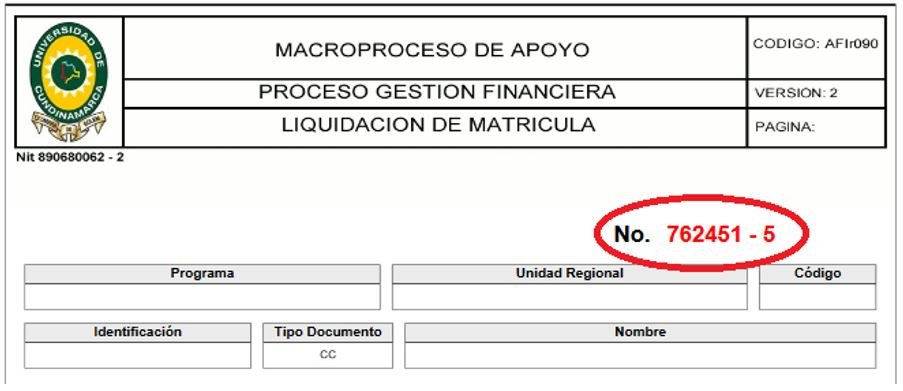
7. Enter your identification and settlement number (You must enter all 7 digits consecutively without a hyphen) which is located in the upper right corner of your payment receipt.
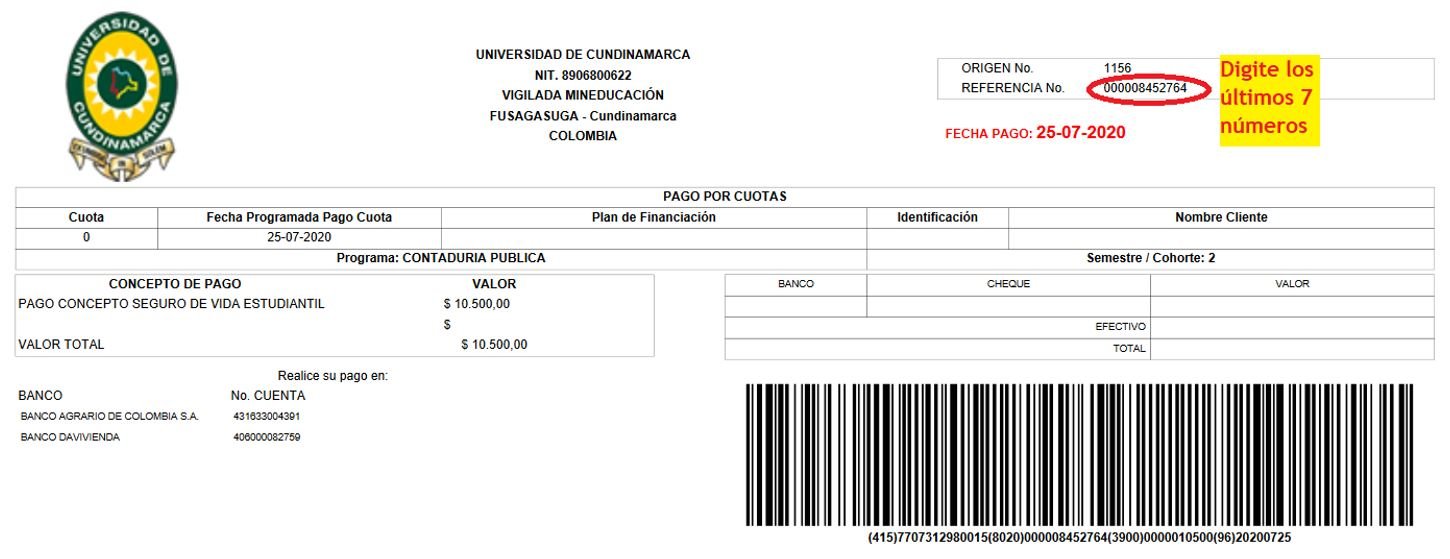
8. If it is through financing, you must enter the 7 digits that appear in the upper right where it says REFERENCE N°
9. Remember that, to carry out this process, you must have enabled “PSE (Secure Electronic Payment)” in the banking entity through which you will make the payment for the service.
ADDITIONAL REMINDER:
DOWNLOAD PAYMENT RECEIPT
News
News
News
News