News
2026-09-24
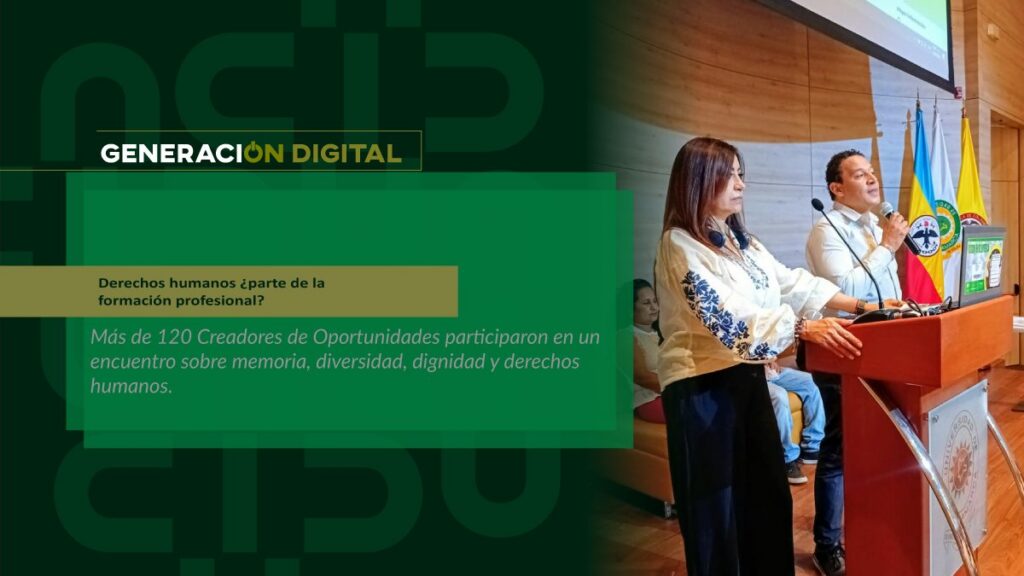
Human rights: part of professional training?
By: Alejandro García Suárez – Advisory Office of Communications


I am your virtual assistant, here to help you quickly and easily.
▲ Back to Top

Step 1:
Ingresas a la página Principal Institucional /www.ucundinamarca.edu.co, Ingresando a Plataforma con tu usuario y contraseña.
Step 2:
Ingresas en la funcionalidad del icono (SIS) Sistema Institucional de Solicitudes.
Step 3:
Ingresas en el Icono Gestión de Admisiones y RegistroPaso 4:
Enter the Graduates Data Update Icon.
Step 5:
Select the name of the academic program you will graduate from and update your information.
Step 6:
Fill in the information requested in the four filters.
Step 7:
Upload required documents:
Citizenship card extended to 150%, both sides.
NOTE 1:
The Required Documents must be in one (1) single PDF file.
NOTE 2:
ATTENTION! Remember that as soon as your document review for Graduation requirements is completed, you will be notified via your institutional email address so you can download your payment receipt for Graduation Fees in the IG Order functionality.
NOTA 3:
NO se iniciará el trámite de Revisión de Carpeta a estudiantes que les falte subir información completa al SIS.
REMEMBER! If you are an Advanced Semester student, you must upload the required documents to the academic program you are going to graduate from.
NOTE 4:
The Folder Review process will not be initiated for students who lack the MAR024 Form Approval and the MAR025 Form Defense Record.
REMEMBER! that the Academic Program Approval and Defense Record are sent directly by the Academic Program to the Admissions and Registration Office.
News
News
News
News